
Post a plan. People apply. You pick.
Got a spare ticket for jazz on Thursday, or want company for a 4:30am hike up Sunset Peak? Post it. People apply with a message and a few photos, and you only chat with the ones you say yes to.
- Free to post
- No profiles, no swiping
- 18+ only
- English, 繁體中文, 简体中文
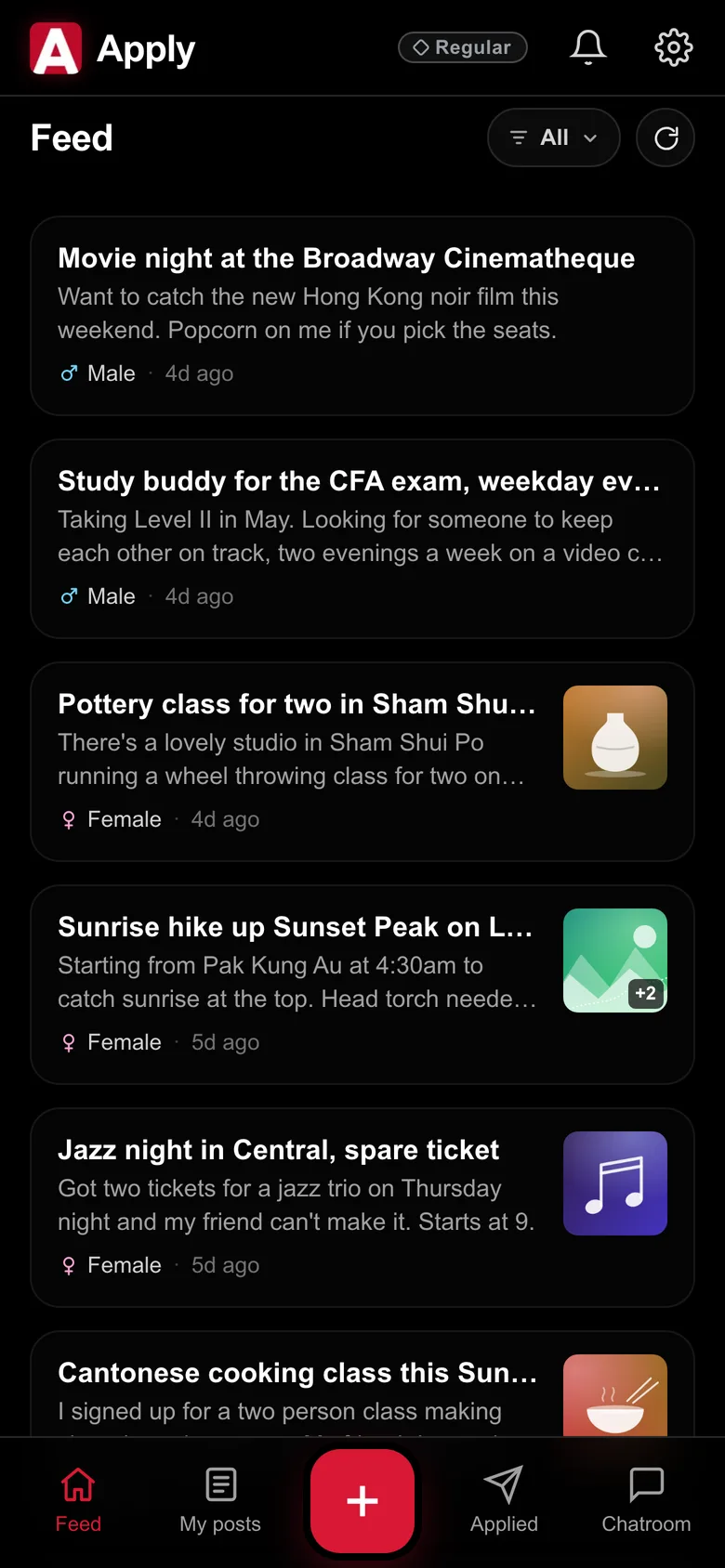
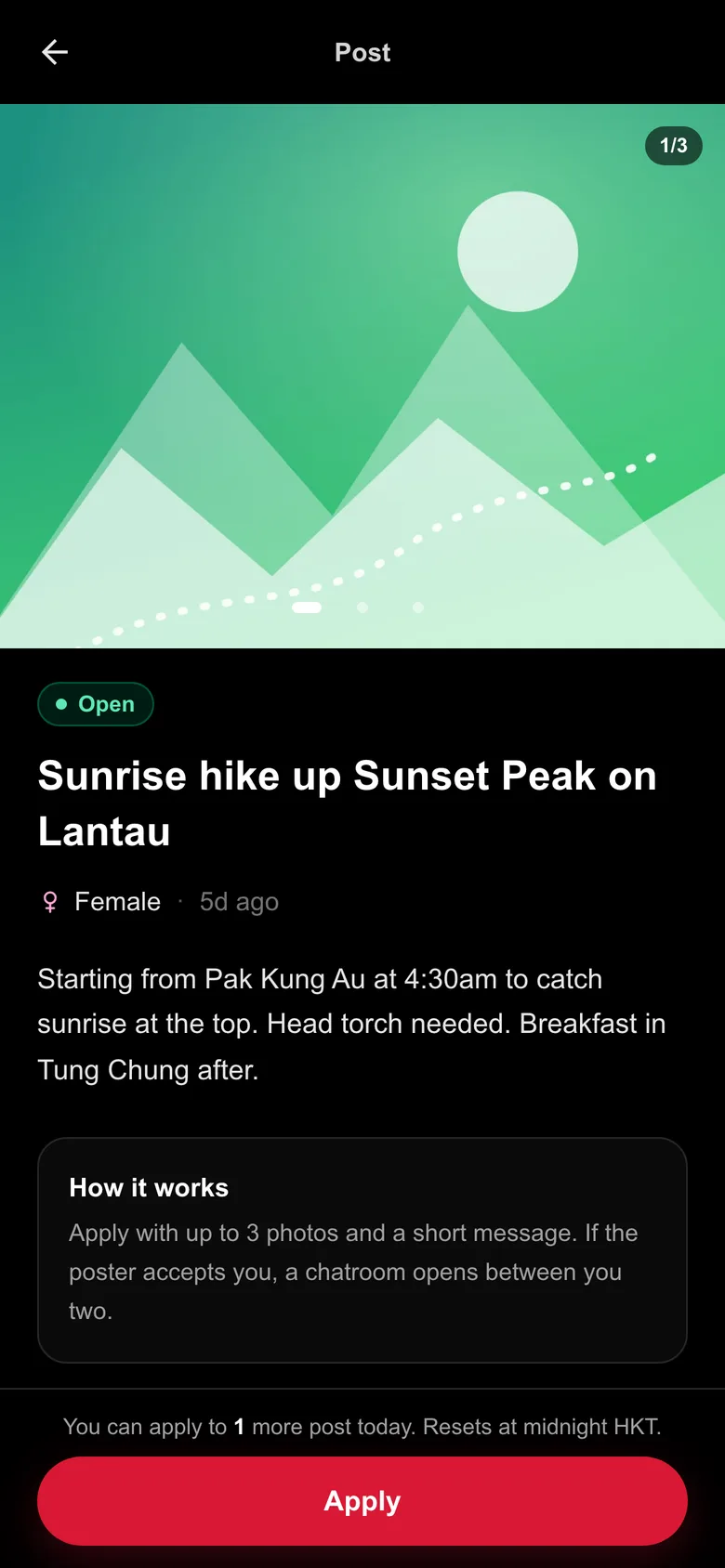
- Dim sum brunch, anyone? Sunday in Central
- Squash partner for weeknights in Wan Chai
- Language exchange: my Cantonese for your Japanese
- Jazz night in Central, spare ticket
- Sunset photo walk along the Kennedy Town waterfront
- Pottery class for two in Sham Shui Po
- Junk boat day trip, two spots left
- Book club, first meet: Norwegian Wood
- Board game night in Mong Kok
- Early morning runs along the harbour
- Cycling around Tolo Harbour this Sunday
- Movie night at the Broadway Cinematheque
It works the other way round.
On most apps you scroll through profiles and hope someone likes you back. On Apply you say what you want to do, and the people who are up for it come to you.
-
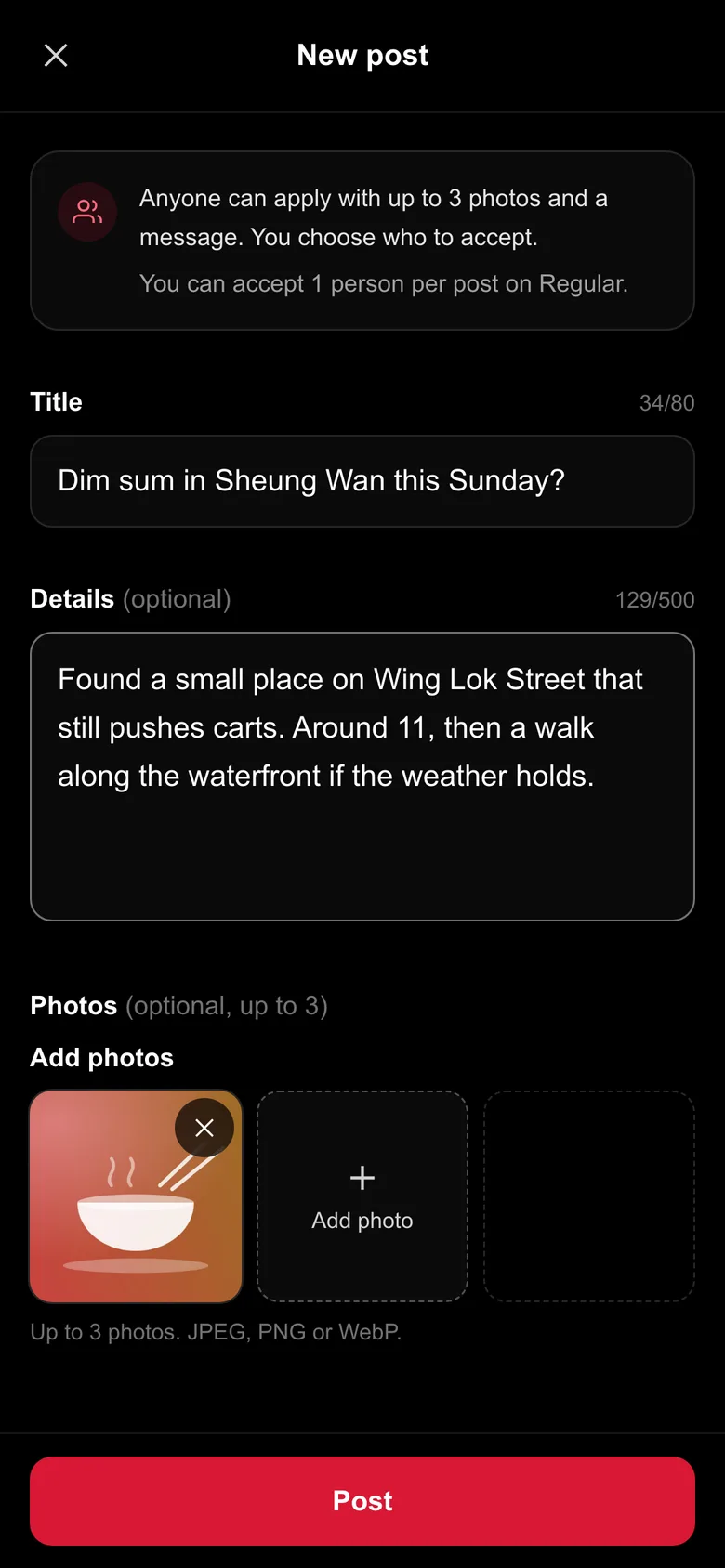
Post it
Say what you want to do and when. A title, up to 500 characters and up to three photos. Posting is free on every plan, as often as you like. A post stays open for a few hours, longer on a paid plan.
-
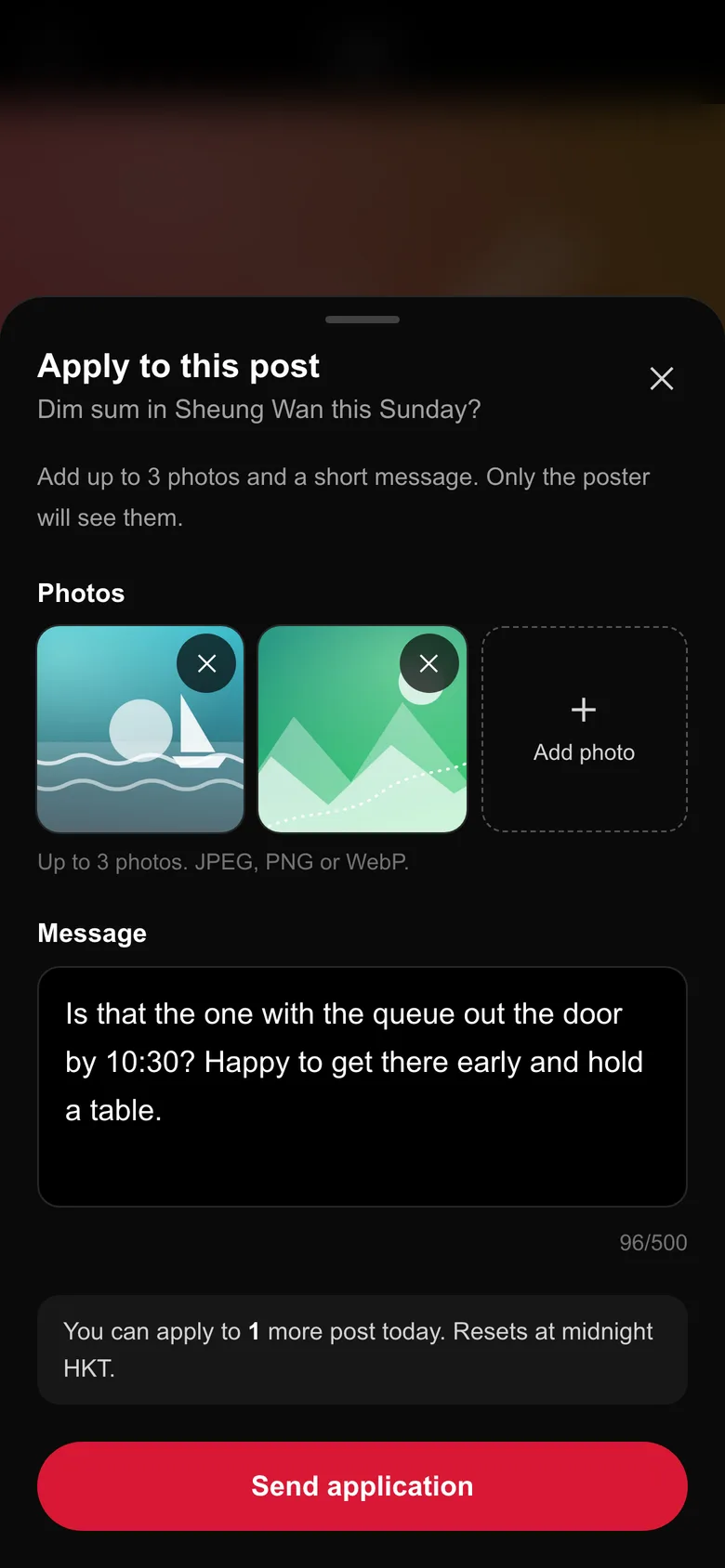
They apply
Anyone who is interested applies with a short message, photos, or both. Application photos are private: only the poster sees them.
-
You choose
Read the applications and accept the people you like. A chatroom opens with each person you accept, and only then can you message each other.
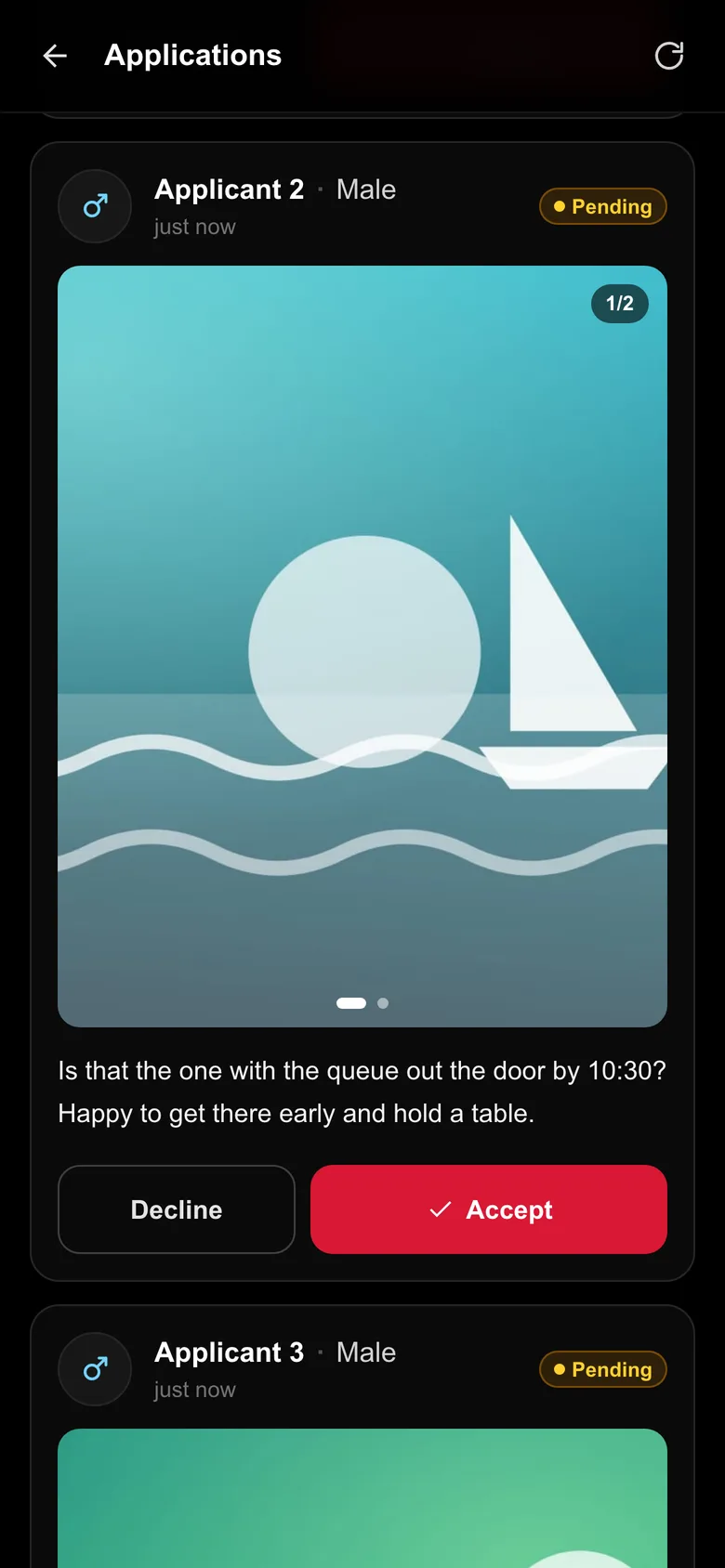
Nobody can browse you.
Other members see what you put in a post, an application or a chat, and your gender. There is no profile page, no photo grid and no list of people near you.
- What others see Never your username, email or birthday. They see your gender and what you write.
- Applicants are numbered On your post, people appear as Applicant 1, 2, 3, in the order they applied.
- Chat only after a yes Nobody can message you out of the blue. A chatroom only opens when a poster accepts an application.
- Private application photos Photos in an application are seen by you and the poster, through links that expire after 10 minutes.
- Photos are cleaned Every photo is checked on our server, and hidden details such as where it was taken and which camera took it are removed.
- Leave when you want Either of you can leave a chatroom at any time. After that, nobody can send messages there.
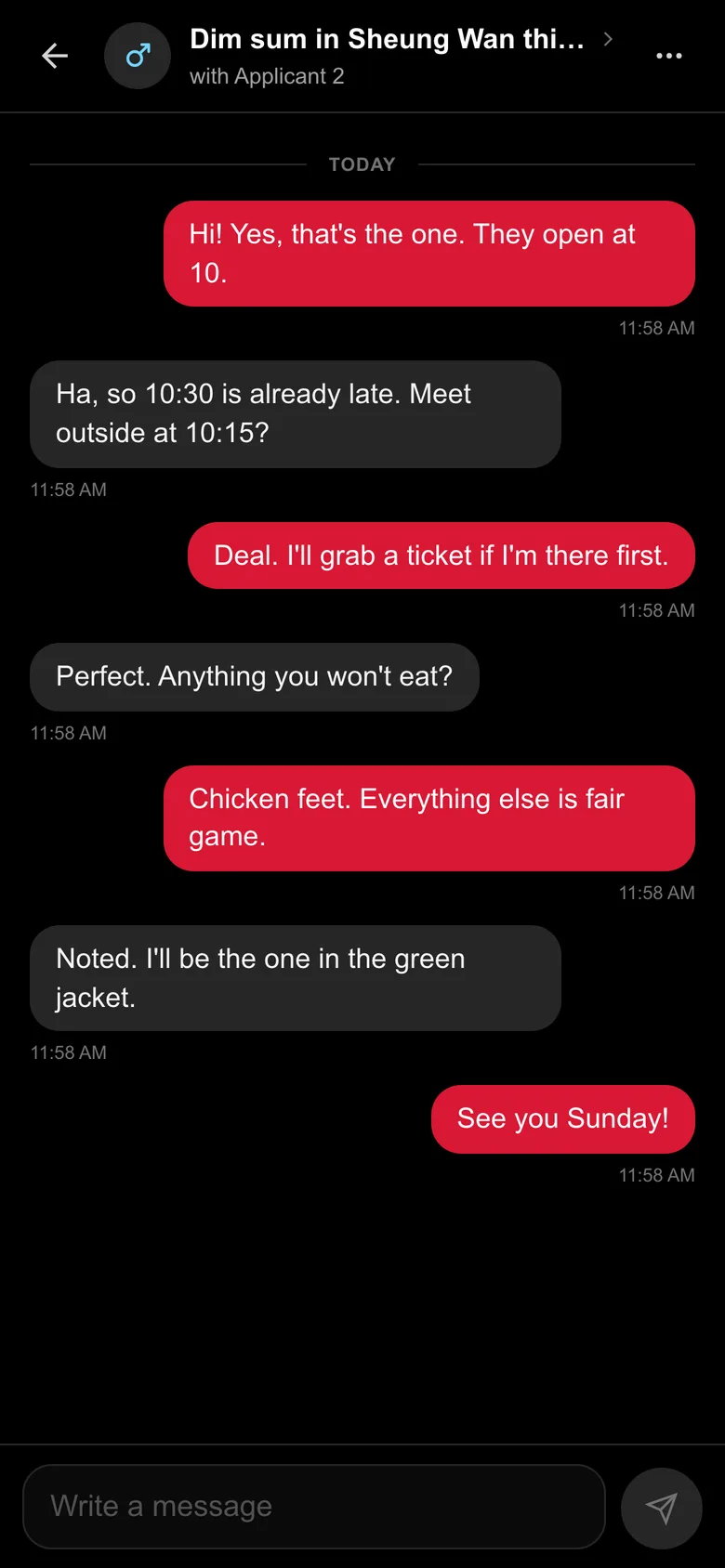
Posting is always free.
Every plan can post as much as it likes. A plan changes three numbers: how many posts you can apply to each day, how many people you can accept on each of your posts, and how long each post stays open.
| Plan | Price | Applications a day | Accepts per post | Post stays open for |
|---|---|---|---|---|
| Regular | Free | 1 | 1 | 2 hours |
| Silver | HK$49 a month or HK$500 a year | 5 | 2 | 4 hours |
| Gold | HK$99 a month or HK$1,010 a year | 15 | 6 | 10 hours |
| Diamond | HK$249 a month or HK$2,540 a year | No limit | No limit | 24 hours |
Limits reset at midnight, Hong Kong time, and the time a post stays open counts from when it is posted. A year costs less than twelve months: you save HK$88 on Silver, HK$178 on Gold and HK$448 on Diamond. A plan renews until you cancel, and you keep it to the end of the month or year you paid for.
Before you meet someone.
- Meet somewhere busy first Apply doesn't check who anyone is. Make the first meet a café or a busy street, and tell a friend where you'll be.
- 18 and over only If we find an account that belongs to someone younger, we ban it and take its posts down.
- We never ask for money Nobody from Apply will ask you to pay outside the app or for your card details. If someone does, it isn't us.
- Leave the chat If someone makes you uncomfortable, leave the chatroom and nobody can send messages there again. For anything else, use Contact support in Settings.
Questions people ask.
Is Apply free?
Yes. Posting is free and unlimited on every plan. The free Regular plan lets you apply to one post a day and accept one person on each of your posts, and each post stays open for 2 hours. Silver, Gold and Diamond raise those limits and keep your posts open longer, up to 24 hours on Diamond.
How long does a post stay open?
It depends on the plan you have when you post: 2 hours on Regular, 4 hours on Silver, 10 hours on Gold and 24 hours on Diamond. A countdown on your post shows how long is left. When the time is up the post closes: nobody can apply any more, and chatrooms already opened stay.
Who can see my photos?
Photos on a post can be seen by every signed-in member, and by anyone who has a photo's direct link. Photos in an application are private: among members, only you and the poster can see them. Like anything you share, they can be saved or screenshotted by the person who sees them.
Can I edit or delete a post?
No, but you can close it at any time. A post also closes by itself when its time is up, and on Regular, Silver and Gold when you have accepted as many people as your plan allows. A closed post cannot be reopened.
What happens after I accept someone?
A chatroom opens between the two of you. It is text only, and either of you can leave whenever you like. You can still read the messages afterwards.
Is Apply just for Hong Kong?
It is made for Hong Kong. Days, limits and prices run on Hong Kong time and in Hong Kong dollars, and the app is in English, Traditional Chinese and Simplified Chinese.
How do I delete my account?
In the app, open Settings, tap Delete Account and enter your password. Your account closes at once, and you cannot get it back yourself. If you cannot sign in, email us from the address on your account. Delete your account explains what we delete and what we keep, and our Privacy Policy has the details. You can also ask us what information we hold about you, or for a copy of it, from Contact support in Settings or at support@apply-labs.com.
Got a plan this weekend?
Post it on Apply and see who wants in. Coming soon to iPhone and Android.
